We hebben je hulp nodig bij het testen van de vertaling!
Als je vertaalfouten ziet, kun je ons hierover schrijven op het forum.
Als je vertaalfouten ziet, kun je ons hierover schrijven op het forum.
Resultaten als PDF afdrukken
Verouderd! Sinds versie 1.2 kunnen resultaten rechtstreeks als PDF worden gedownload.
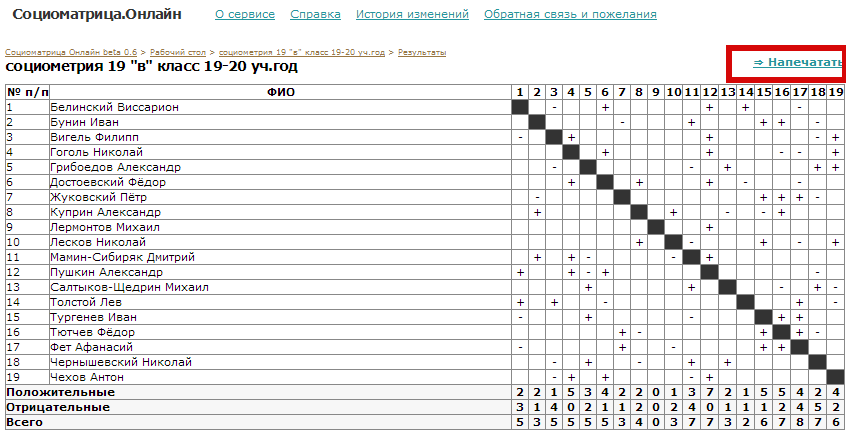
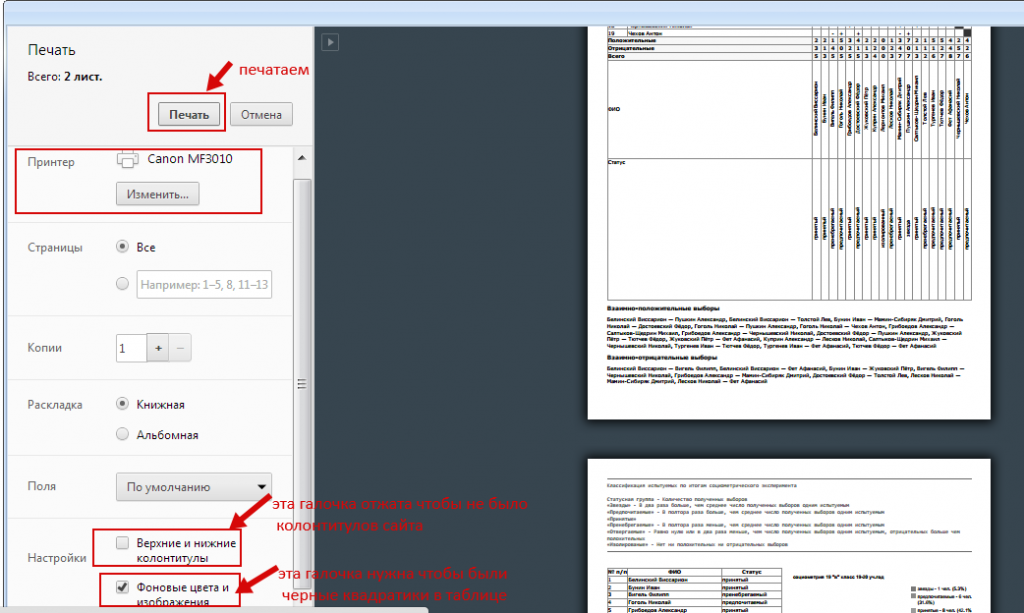
Wilt u het protocol in een map op uw computer opslaan, klik dan rechtsboven boven de tabel op ‘Afdrukken’:
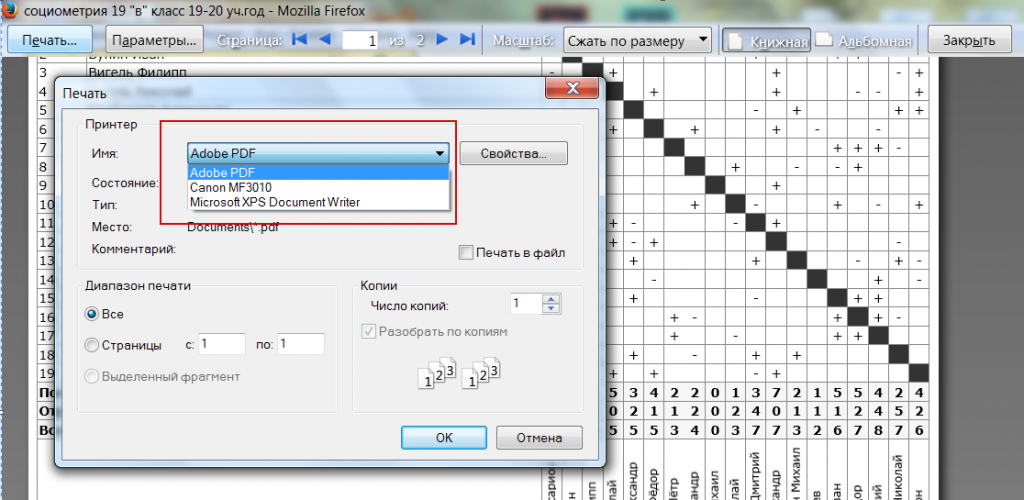
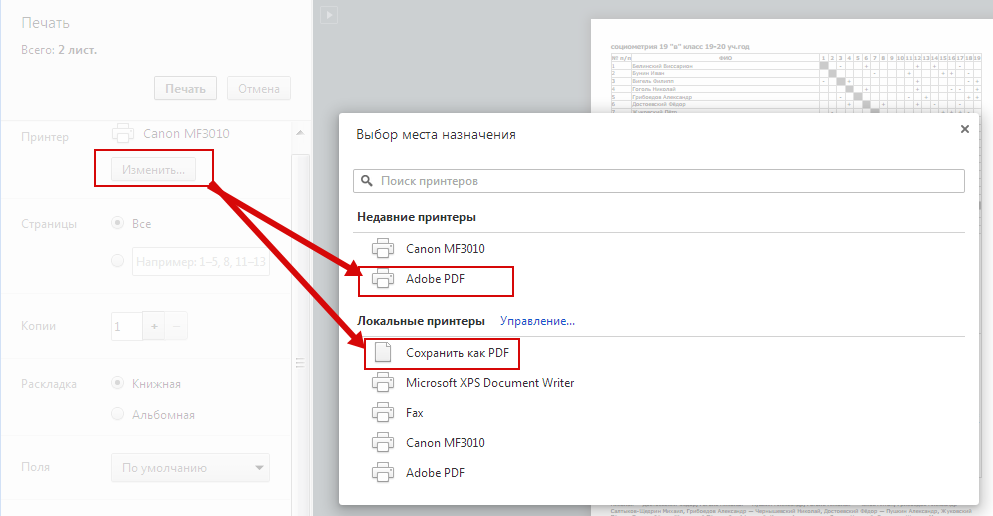
Klik bij Printer op ‘Wijzigen’ en kies ‘Adobe PDF’ of ‘Opslaan als PDF’.
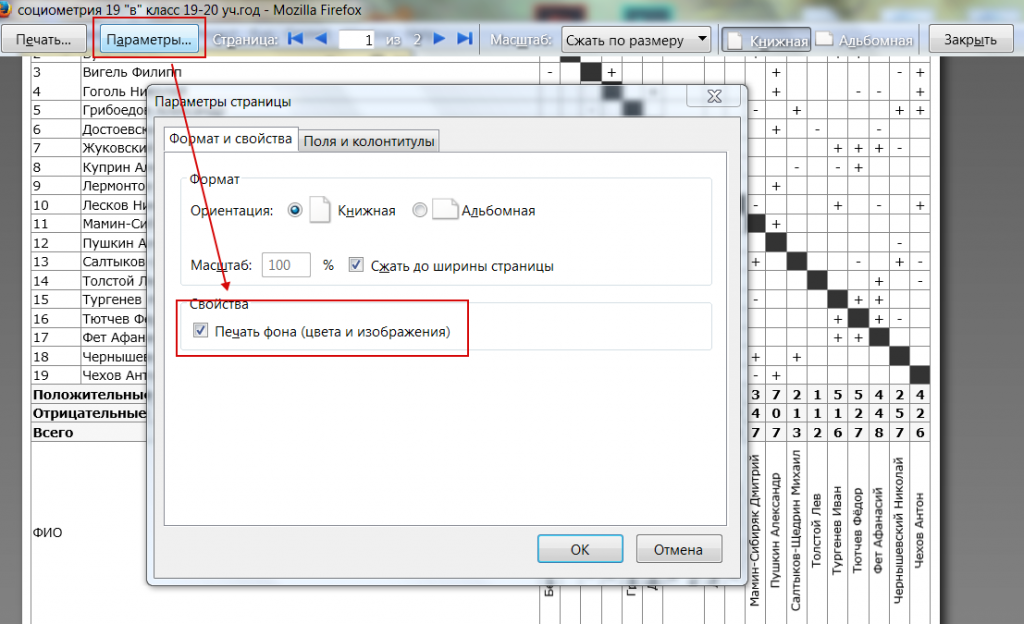
Let op de opties ‘Achtergrondkleuren en -afbeeldingen’ en ‘Kop- en voetteksten’:
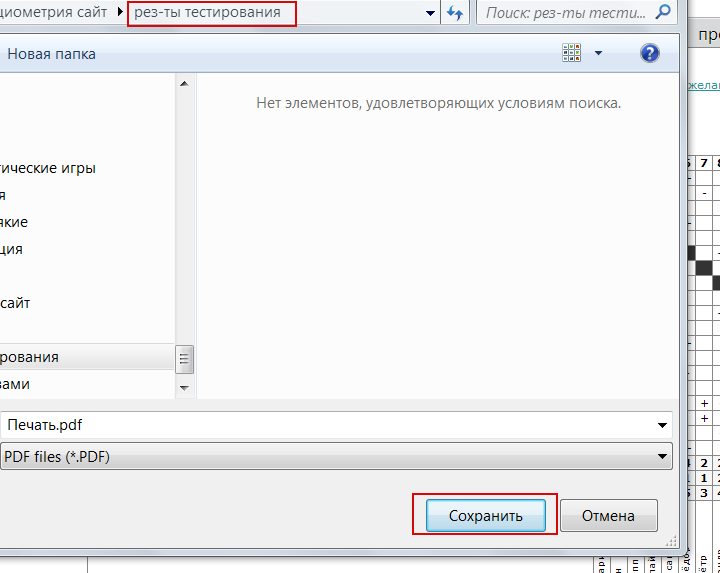
Klik op ‘Afdrukken’, kies de gewenste map en sla het bestand op.
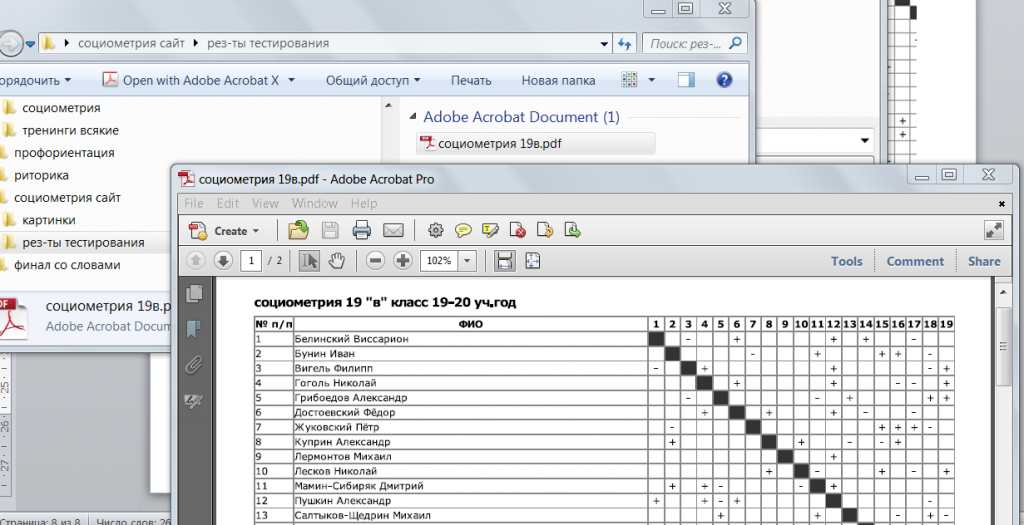
Klaar! Het resultaat is opgeslagen als PDF-bestand:
Voor Mozilla Firefox kiest u op de resultaatpagina Bestand — Afdrukvoorbeeld en volgt u dezelfde stappen: